Most call centers are either overspending on idle agents or tanking service levels because they staff by gut feel. BuildMyShift's AI-driven optimization engine analyzes your call data, calculates precise headcount for every 30-minute window, auto-generates shift schedules, and assigns your entire team — in minutes, not days.
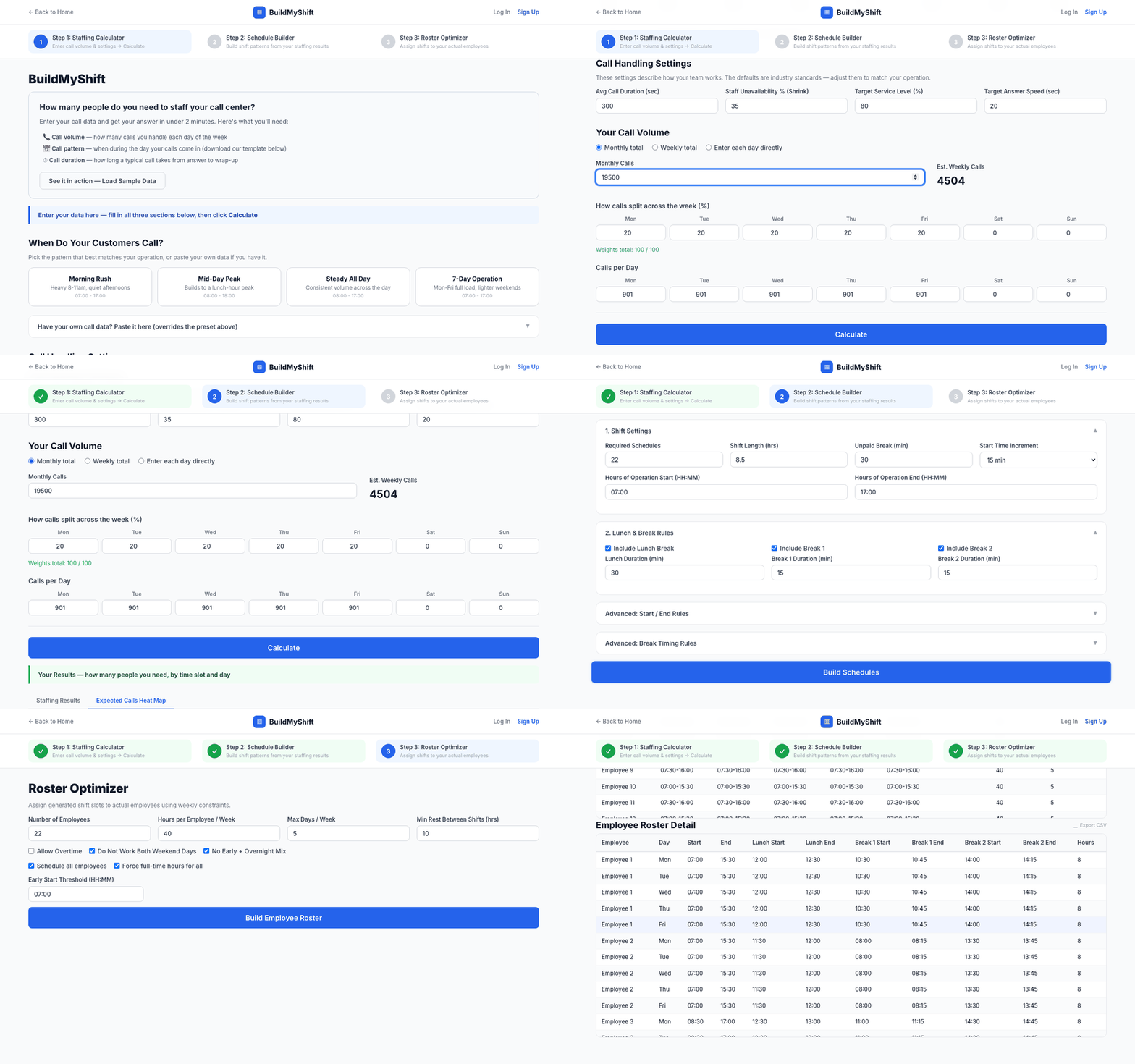
Watch as we load call data, calculate staffing, build schedules, and assign an entire roster — all with a few clicks.
No WFM certification required. Our algorithms do the heavy lifting — you just click.
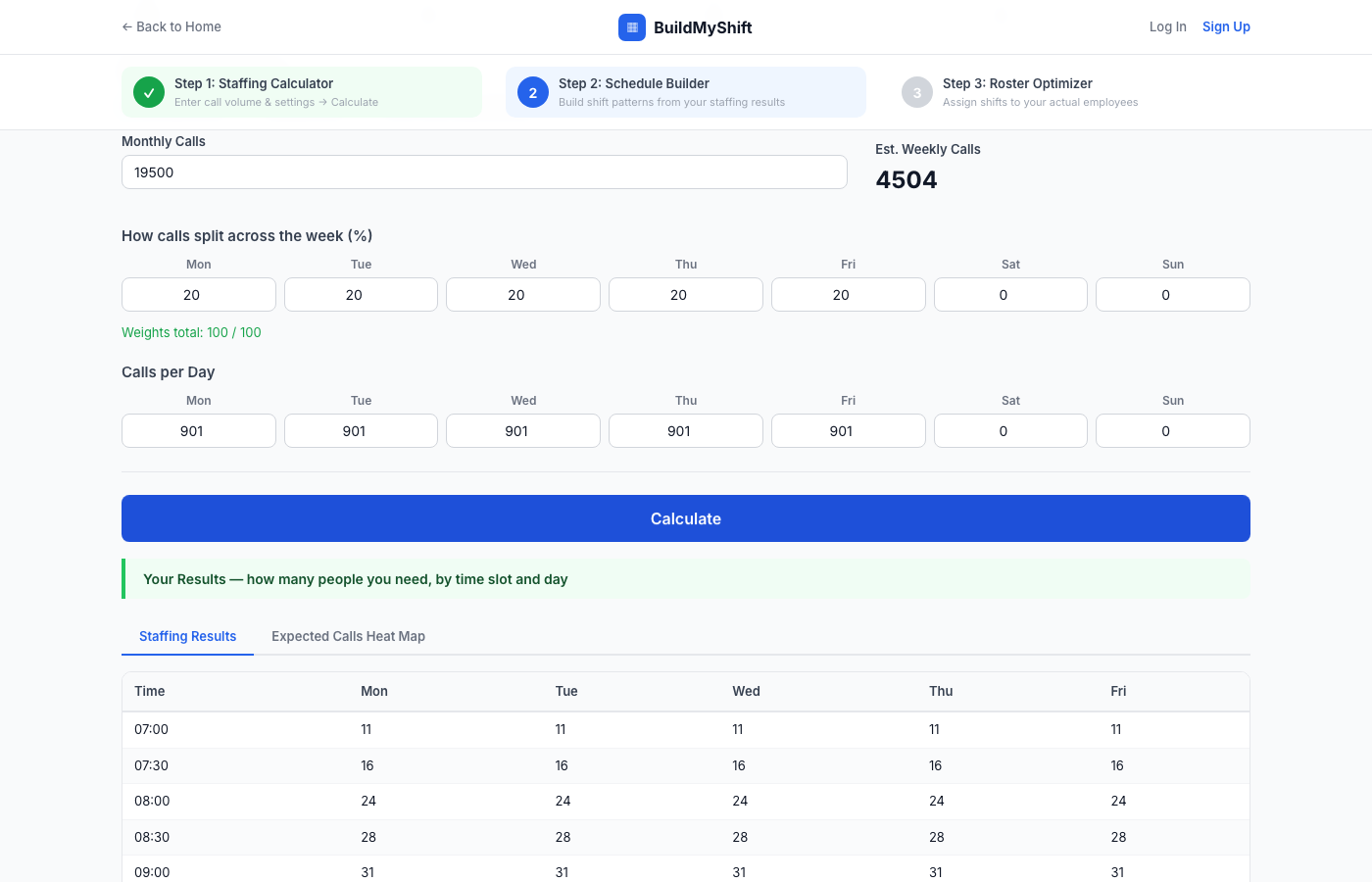
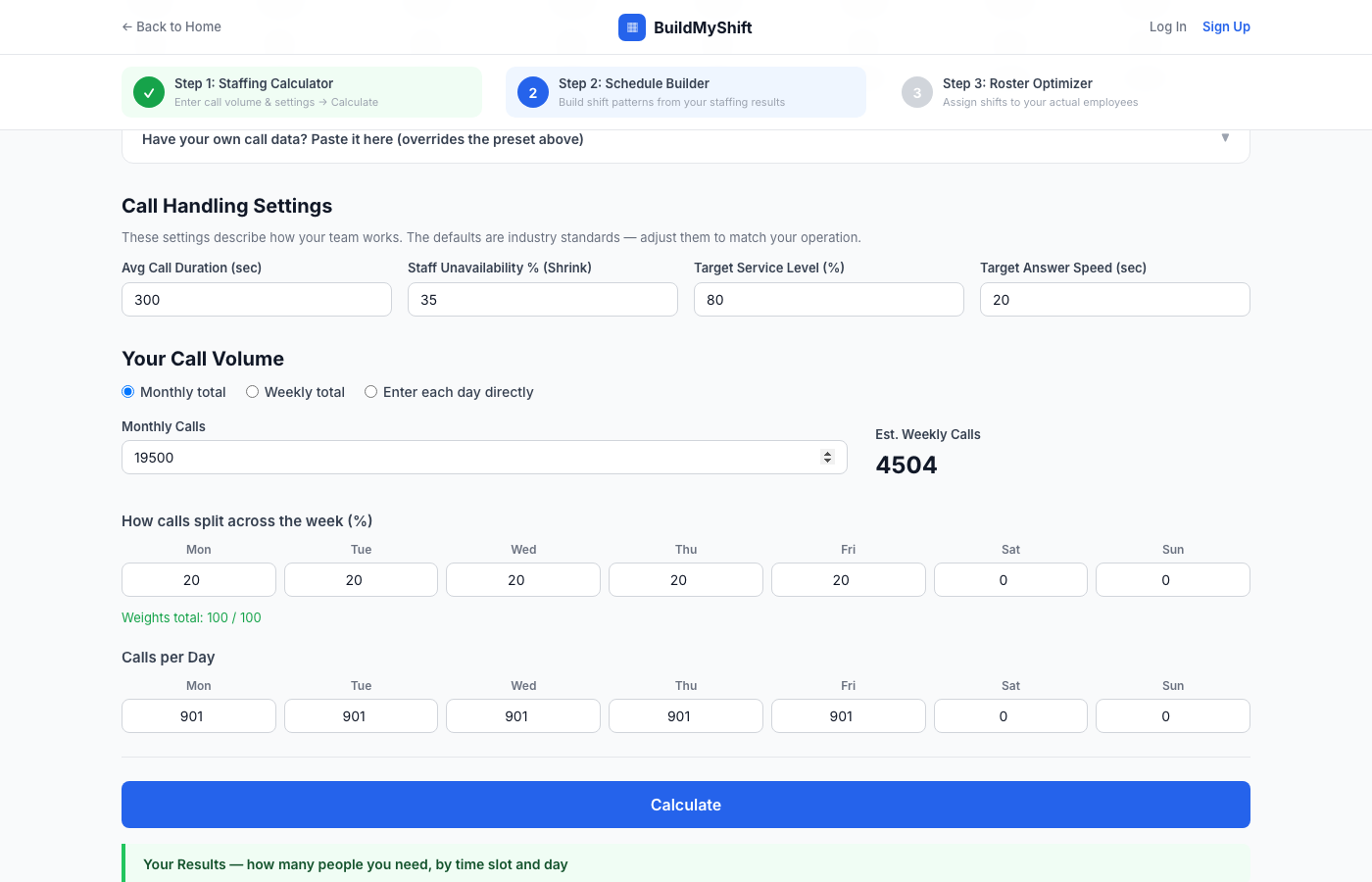
Tell us your monthly or weekly call volume and when calls arrive throughout the day. Pick a preset pattern (morning rush, mid-day peak, steady, or 7-day operation) or paste your own data directly from Excel. Set your average handle time, service level target, and shrinkage.
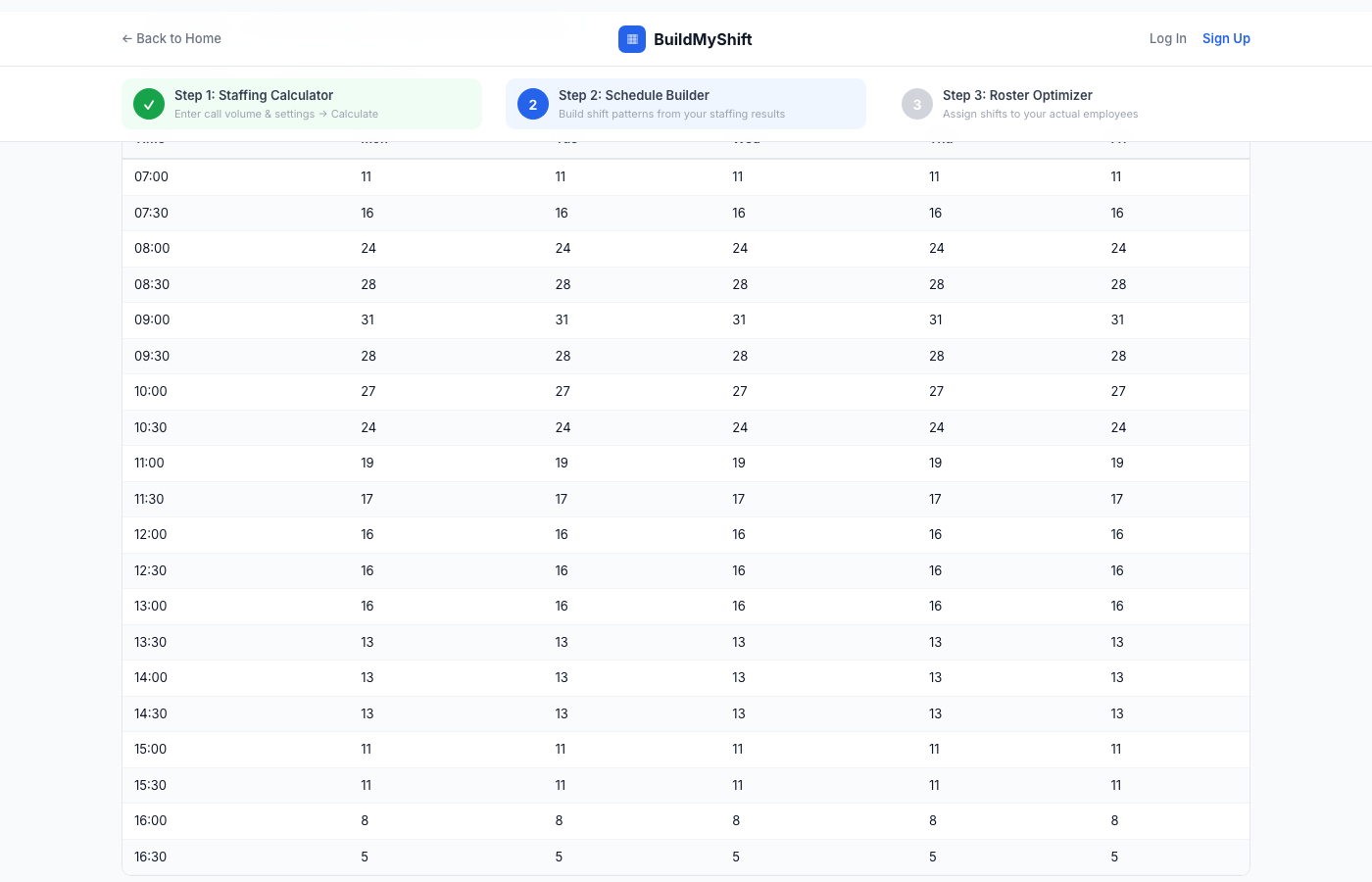
Hit Calculate. The AI-powered engine applies advanced queuing-theory models to determine exactly how many agents must be on the phone in each 30-minute window to hit your SLA. Results appear as a staffing table and a color-coded heat map so you can instantly spot demand spikes and staffing gaps.
The optimization engine converts headcount into demand-shaped shifts with algorithmically placed breaks. Then the roster optimizer evaluates every possible assignment and slots your real employees into the best-fit shifts — respecting all labor constraints automatically. Export everything to CSV in one click.
Intelligent algorithms analyze your demand, generate optimal schedules, and assign your team — every decision backed by data science.
Our intelligent staffing engine uses advanced queuing-theory algorithms to model your call arrival patterns and predict exactly how many agents you need in every 30-minute window. It factors in handle time, service-level targets, and shrinkage — then renders a real-time color-coded heat map so you can instantly visualize demand intensity across your entire week. No spreadsheets, no guessing — just mathematically optimized headcount.
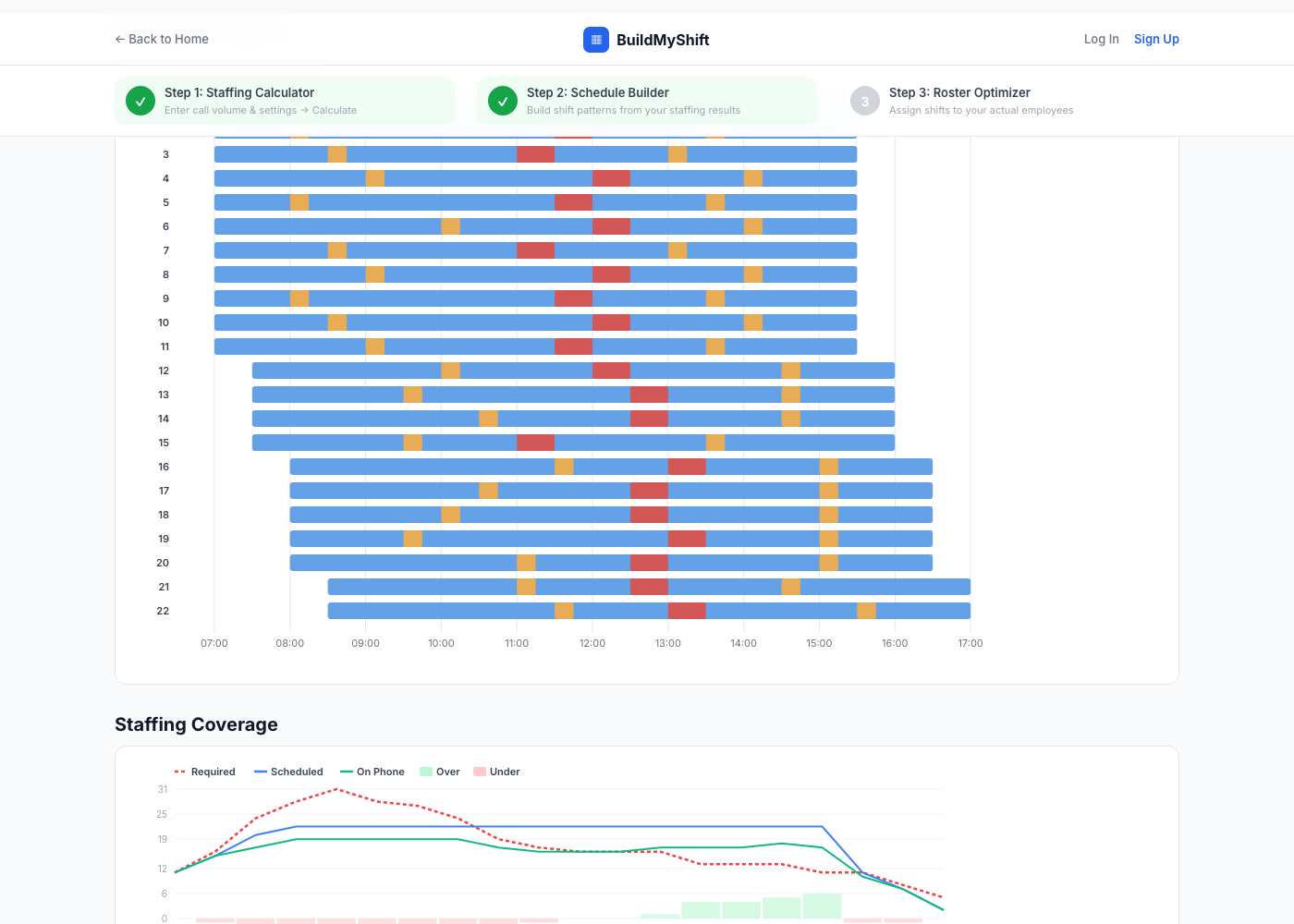
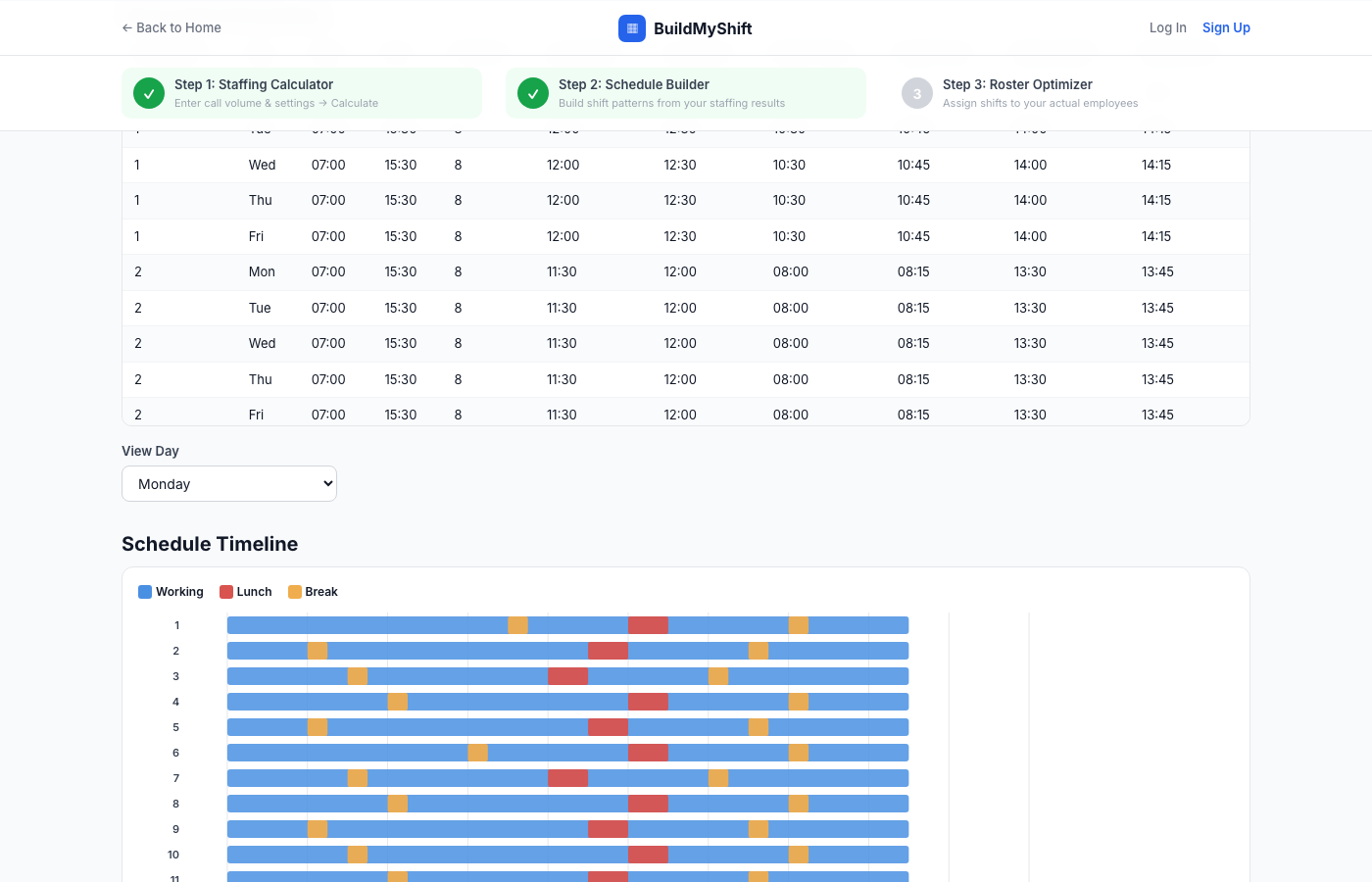
The schedule engine ingests your demand curve and autonomously generates optimized shift patterns — factoring in shift length, hours of operation, and labor compliance rules. A multi-phase optimization algorithm places lunches and breaks at mathematically ideal times to maximize on-phone coverage during peak demand windows. The interactive Gantt timeline visualizes every agent's working blocks, lunch, and breaks in real time.
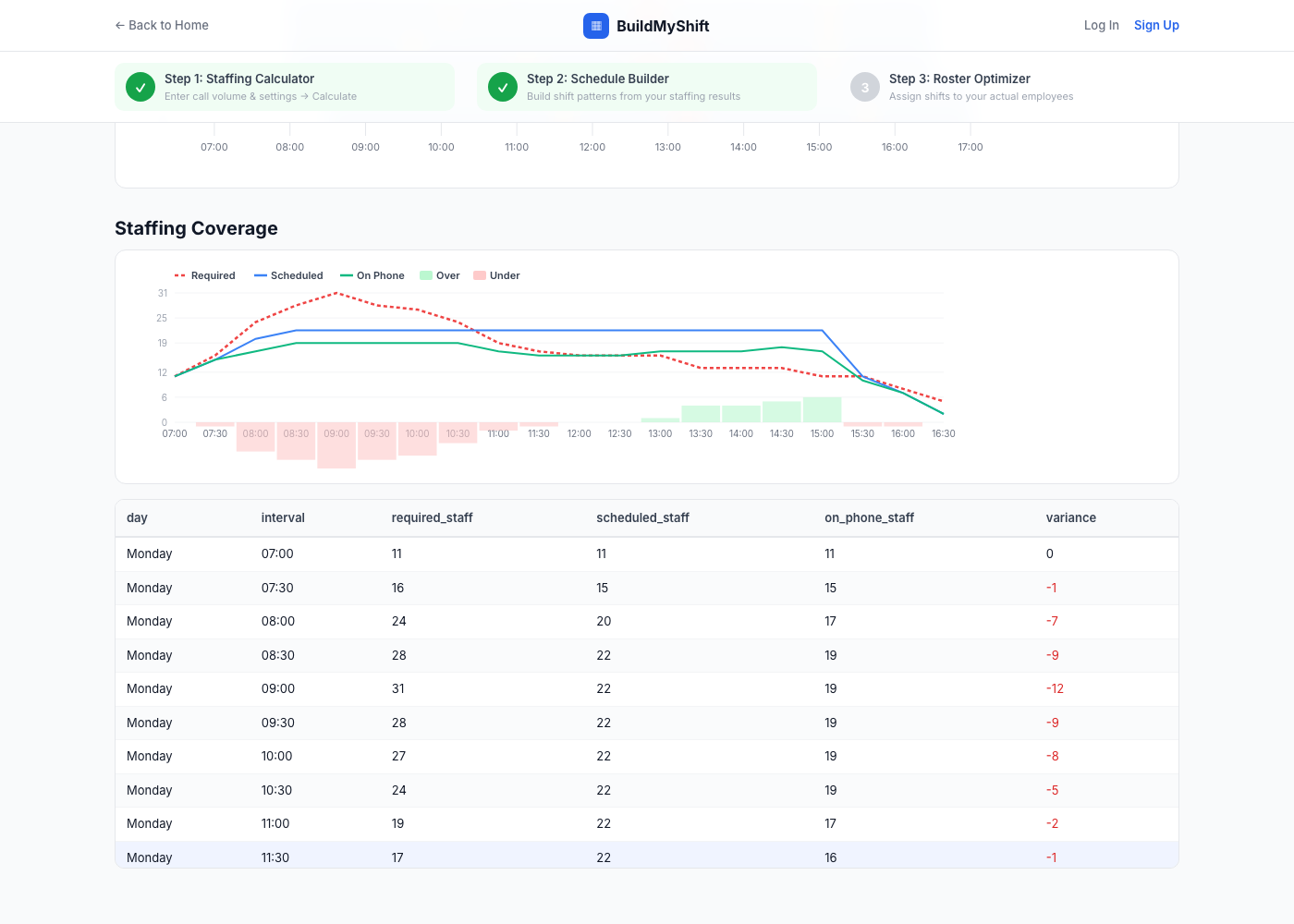
The coverage engine continuously compares your algorithmically computed demand against your actual scheduled headcount — surfacing over-staffed and under-staffed intervals instantly. Variance is color-coded in real time: red flags gaps that risk your SLA, green confirms surplus. A granular variance table gives you interval-by-interval precision so you can fine-tune your plan with confidence before it goes live.
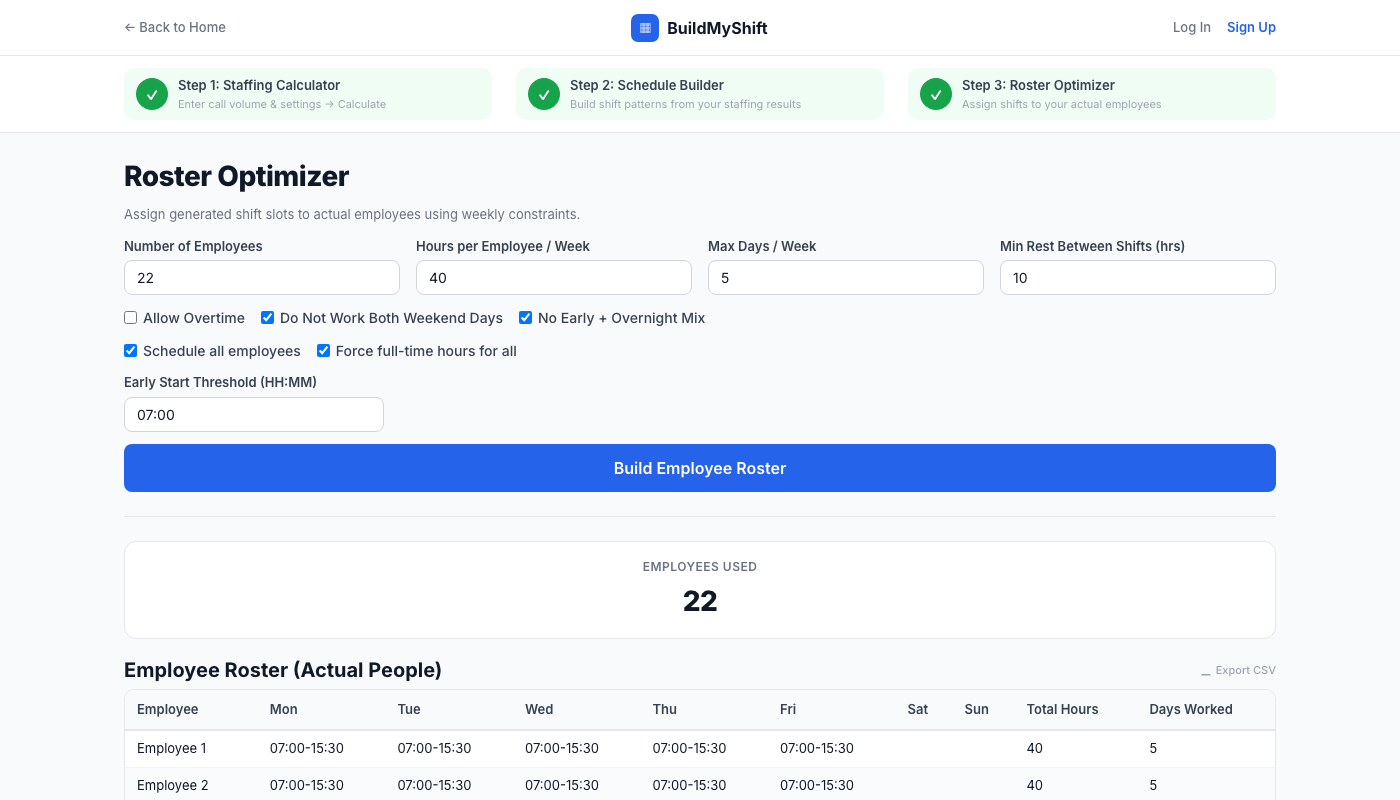
Our optimization algorithm evaluates thousands of possible shift-employee combinations in seconds. It respects max hours, rest-period requirements, weekend constraints, and labor regulations — then assigns each employee the best-fit shift automatically. The result is a fully optimized weekly roster with named assignments, exact start/end times, and intelligently placed breaks that comply with state laws and business needs.
Every output the engine generates — staffing models, heat maps, schedules, rosters, and break-placement reports — is exportable to CSV instantly. One click and your algorithmically optimized plan is ready for Excel, Google Sheets, or direct import into your HR or payroll system. Zero reformatting, zero manual work.
After 7+ years managing workforce planning for a 24/7 healthcare contact center, I built the tool I wished existed. Paste your call data, set your targets, and get a mathematically precise staffing plan — headcount, shifts, breaks, and a full employee roster — in minutes.
"I used to spend half a day every Sunday building next week's schedule in Excel. Now I paste our ACD data, hit Calculate, build schedules, and the entire roster is done in 10 minutes. The break optimization alone saved us from SLA misses."
"The heat map was a revelation. We immediately saw we were under-staffed from 8:30-10:00 every day — something we'd been guessing about for months. The Erlang C math just makes it obvious."
"We use it to sanity-check our WFM vendor's staffing numbers every week. Same Erlang C math, same answer — and I can prototype new schedule scenarios in minutes instead of waiting for our analyst to run them."
Start with the free staffing calculator. Upgrade when you need scheduling power.